
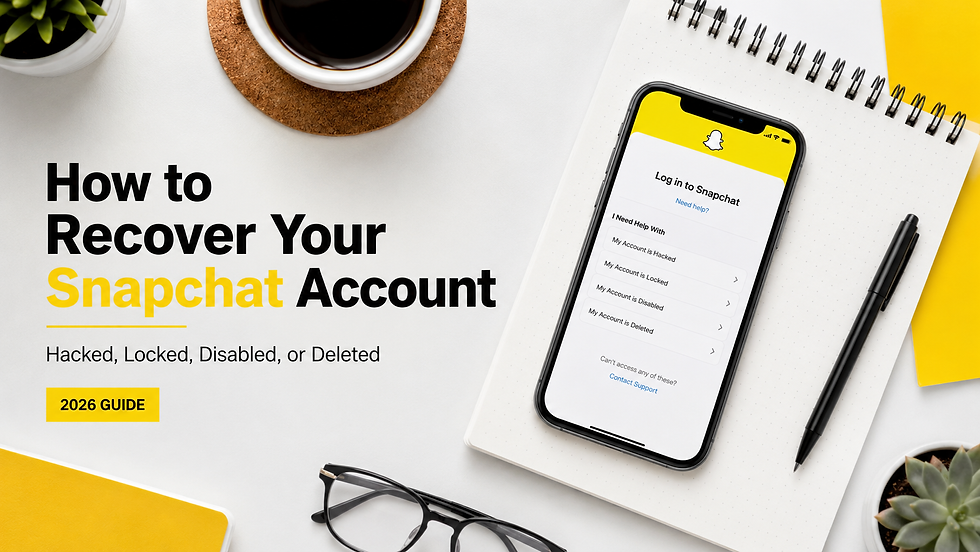
How to Recover a Snapchat Account in 2026: Hacked, Locked, Disabled, or Deleted
Losing access to Snapchat can happen for several very different reasons. Your account might have been hacked, temporarily locked, permanently locked, deleted, or inaccessible because you no longer have access to the email address or phone number connected to it.

The correct Snapchat account recovery method depends on exactly what happened.
If your Snapchat account has been hacked, the first steps are usually to secure the account, reset the password, remove unauthorized sessions, and confirm that the correct email address and phone number are still attached. If Snapchat has permanently locked the account, however, recovery generally requires using
Snapchat's official in-app appeal process when that option is available.
This guide explains what to do for each situation and what options remain when standard Snapchat recovery methods do not work.
Quick Answer: How Do You Recover a Snapchat Account?
To recover a Snapchat account:
Determine whether the account is hacked, temporarily locked, permanently locked, deleted, or simply experiencing a login problem.
Try resetting the password using the verified phone number or email address connected to the account.
If the account was hacked, immediately secure your email, change your Snapchat password, and remove unknown sessions.
If Snapchat temporarily locked the account, remove unauthorized third-party apps and follow Snapchat's unlock instructions.
If Snapchat permanently locked the account and offers an Appeal Decision option, submit the appeal directly through the Snapchat app.
Preserve screenshots, emails, usernames, dates, and other evidence related to the incident.
If you still cannot regain access, carefully review the specific error or enforcement notice before taking additional action.
The most important point is that Snapchat account recovery is not one universal process. The reason you lost access determines the appropriate recovery path.
Why Can't I Access My Snapchat Account?
Snapchat access problems generally fall into one of the following categories:
Your Snapchat account was hacked or compromised.
You forgot your password.
You lost access to your email address or phone number.
Your account was temporarily locked.
Your account was permanently locked.
Snapchat banned your device.
Your account was voluntarily deleted or deactivated.
You are receiving an error code when attempting to log in.
Two-factor authentication is preventing access.
Before repeatedly submitting requests or changing account information, determine which problem actually applies to your account.
That distinction matters because an incorrect recovery approach can waste valuable time.
How to Recover a Hacked Snapchat Account
A Snapchat account is considered compromised when someone who is not authorized to use the account gains access to it.
According to Snapchat, possible signs of a compromised account include an unfamiliar login, changes to your email address or phone number, unknown devices appearing in
Session Management, messages you did not send, Stories you did not post, unexpected friend requests, or two-factor authentication being changed without your permission.
Step 1: Change Your Snapchat Password
If you can still access the account, change the password immediately.
Choose a new password that you have never used on Snapchat or another website.
If you cannot log in normally, use Snapchat's password recovery process to request a reset through the phone number or email address associated with the account.
Step 2: Secure Your Email Account
This is frequently overlooked.
If a hacker gained access to the email account connected to Snapchat, simply changing your Snapchat password may not be sufficient.
Change your email password and review:
Recently logged-in devices
Email forwarding rules
Recovery email addresses
Recovery phone numbers
Two-factor authentication settings
Suspicious security activity
Your email account is often the foundation of your Snapchat recovery credentials.
Step 3: Check Your Snapchat Contact Information
Confirm that the correct email address and mobile number remain associated with your Snapchat account.
Snapchat specifically recommends checking this information after suspected unauthorized access.
Step 4: Remove Unknown Devices
Review the devices currently connected to your Snapchat account.
If you find a phone, tablet, or session you do not recognize, terminate that session immediately.
Snapchat also recommends reviewing signed-in devices when a user receives an unexpected login alert.
Step 5: Enable Stronger Account Security
After regaining control, enable additional protection.
Snapchat supports two-factor authentication and recommends stronger security measures such as an authenticator app or passkey.
Do not wait until another compromise occurs.
What If the Hacker Changed My Snapchat Email or Phone Number?
This is a more complicated recovery situation.
If the attacker changed the email address, phone number, password, or two-factor authentication settings before you regained control, ordinary password recovery may no longer work.
First, check the original email account associated with Snapchat for security notifications concerning changes to the account. Snapchat notes that some notifications concerning changed contact information may provide an opportunity to reverse unauthorized changes.
You should also preserve evidence such as:
Your Snapchat username
Original email address
Original phone number
Approximate date the account was created
Date you lost access
Screenshots of Snapchat emails
Screenshots of unauthorized changes
Previous devices used with Snapchat
Evidence showing that the account belongs to you
Do not send your password to anyone claiming they need it to recover your account.
Snapchat explicitly states that its representatives will not ask for your Snapchat password or My Eyes Only passcode.
How to Recover a Temporarily Locked Snapchat Account
A temporary Snapchat lock is different from a permanent account lock.
Snapchat may temporarily restrict an account for suspicious behavior, repeated activity, security concerns, or the use of unauthorized third-party applications or plugins.
If Snapchat says your account was temporarily locked because of an unauthorized third-party application, remove the application or plugin before attempting to regain access.
Snapchat also advises users to update the Snapchat app to the latest version before logging back in.
For some temporary locks, Snapchat instructs users to wait approximately 48 hours before trying to log in again.
You may also be able to visit Snapchat's Accounts Portal and select Unlock.
Do not repeatedly attempt to bypass the lock using unofficial applications or modified versions of Snapchat. That can make the situation worse.

How to Recover a Permanently Locked Snapchat Account
A permanently locked Snapchat account requires a very different strategy.
Snapchat states that some permanently locked accounts can be appealed. Eligibility is displayed directly in the Snapchat app.
To check:
Open Snapchat.
Attempt to log into the affected account.
Read the lock notification carefully.
Look for Appeal Decision.
If the option appears, follow the in-app appeal process.
Snapchat says its in-app appeal process is the legitimate method for appealing an eligible locked account. Creating unrelated support tickets will not expedite that appeal.
What Should You Write in a Snapchat Appeal?
A good Snapchat appeal should be factual, concise, and specific.
Include information that helps distinguish an error, compromise, or misunderstanding from intentional policy violations.
For example, explain:
What happened immediately before the account was locked
Whether you believe the account was compromised
Whether an unauthorized person had access
Whether you recognize the activity Snapchat may have detected
Why you believe the enforcement was incorrect
Any relevant dates or security events
Avoid writing an emotional essay or repeatedly sending the same information.
The objective is to make the facts of the case easy to understand.
How Long Does a Snapchat Appeal Take?
Snapchat states that its review process can take up to 30 days and that users will receive the decision through email or the Snapchat app.
Some decisions may arrive sooner, but there is no guaranteed turnaround time.
What If Snapchat Doesn't Give Me an Appeal Button?
This is one of the more difficult Snapchat recovery situations.
Snapchat states that if the Appeal Decision option does not appear, the particular account lock is not eligible for its normal appeal process.
Do not assume that every Snapchat lock has exactly the same recovery path.
Instead, document:
The exact warning displayed
The error code, if one appears
Screenshots of the login screen
The date access was lost
Relevant emails from Snapchat
Whether the account had recently been hacked
Whether unfamiliar activity occurred before the lock
Those details are important when determining whether you are dealing with an enforcement action, security issue, device restriction, or login problem.
Snapchat Device Bans: SS06, SS07 and SS18
Sometimes the account itself is not the only problem.
Snapchat uses several error codes associated with device restrictions.
According to Snapchat:
SS06 or SS18 can indicate that the device has been banned because Snapchat detected abuse or repeated violations.
SS07 can indicate that too many Snapchat accounts have been associated with the device.
A device ban and an account lock should not automatically be treated as identical problems.
If the same Snapchat account works on another legitimate device, the problem may be specific to the original device.
Snapchat warns that it generally does not remove device bans in many circumstances.
What Does Snapchat Error SS04 Mean?
Snapchat's SS04 error indicates that the Snapchat account you are attempting to access has been locked.
If the lock is temporary, Snapchat says you may be able to use the Accounts Portal and choose Unlock, or wait before attempting to sign in again.
Because Snapchat uses different error codes for different situations, always record the exact code before troubleshooting.
How to Recover Snapchat If You Forgot Your Password
If you simply forgot your Snapchat password, recovery is considerably easier.
Snapchat's password reset process can use the phone number or email address connected to your account.
You can:
Visit Snapchat's Accounts Portal.
Enter the email address or mobile number connected to the account.
Select Forgot Password.
Request a one-time login code.
Follow the instructions sent by Snapchat.
What If You Don't Have Access to Your Snapchat Email or Phone Number?
This is an important limitation.
Snapchat states that, for security reasons, Support cannot reset a password when the user no longer has access to the email address or phone number associated with the account. Snapchat also says Support cannot simply update that email address or phone number on the user's behalf.
That is why keeping your recovery information updated before a problem occurs is extremely important.
If you still have access to Snapchat on an existing device, update and verify the appropriate account information before logging out.
What If You Lost Your Snapchat Two-Factor Authentication Code?
Two-factor authentication can protect an account from hackers, but it can also complicate recovery when users lose access to the authentication method.
Snapchat explains that 2FA Login Codes may be generated through SMS or an authentication application.
Accounts protected by 2FA still require that second authentication step when logging in, even following a password reset.
When setting up 2FA, make sure your recovery information remains current and securely preserve any recovery options Snapchat provides.
Can You Recover a Deleted Snapchat Account?
Sometimes.
If you intentionally deleted your Snapchat account and changed your mind, Snapchat provides a limited reactivation period.
Snapchat currently states that users generally have 30 days to reactivate a deactivated account before it proceeds toward permanent deletion.
To reactivate it, log into the Snapchat app using the username of the deactivated account.
Snapchat notes that while an account is deactivated, you cannot use the associated email address or phone number to log in and cannot change the password.
Once an account has been permanently deleted, Snapchat states that it cannot be reactivated.
Can You Recover Memories From a Locked Snapchat Account?
Possibly.
Snapchat provides a process for requesting available account data through its Accounts Portal.
Users who are eligible to access their data can log into the portal, select My Data, choose what information they want included, and submit a request.
Snapchat notes that some data may not be available for certain types of locked accounts.
If your account contains important Memories, business information, or other data, consider requesting a data export before access becomes more restricted.
What Not to Do When Trying to Recover Snapchat
Account recovery mistakes can make an already difficult situation worse.
Avoid:
Giving anyone your Snapchat password
Giving someone your email password
Sharing authentication codes
Sharing My Eyes Only credentials
Installing unofficial Snapchat modifications
Paying someone who guarantees they can secretly bypass Snapchat's enforcement systems
Creating dozens of unrelated support tickets
Repeatedly changing devices, locations, passwords, and recovery information without understanding the underlying problem
Be particularly careful with anyone claiming to be a Snapchat employee.
Snapchat itself warns users not to listen to people who claim they can unlock accounts outside its legitimate recovery and appeals processes.
Can a Snapchat Account Recovery Service Help?
A legitimate account recovery service should never promise that it can secretly override Snapchat or guarantee reinstatement.
Where professional assistance can be valuable is in diagnosing the account issue, preserving evidence, identifying the correct recovery pathway, preparing information for a legitimate appeal or support process, and preventing users from making mistakes that could complicate their case.
Services such as Social Retrieving work with individuals and businesses dealing with difficult social media access and account recovery situations.
For Snapchat cases, the first question should always be:
Why was access actually lost?
A hacked account requires a different approach from a temporary lock. A temporary lock is different from a permanent enforcement action. A permanent enforcement action is different from a device ban.
Accurate diagnosis comes before recovery.
No legitimate third party should ask for your Snapchat password, email password, two-factor authentication codes, or private recovery credentials.
How to Protect Your Snapchat Account After Recovery
If you successfully recover your Snapchat account, secure it immediately.
Take the following precautions:
Change your password.
Use a unique password that is not shared with another website.
Verify the correct email address.
Verify the correct mobile number.
Review logged-in devices.
Remove unfamiliar sessions.
Enable two-factor authentication.
Consider using an authenticator app or passkey.
Secure the email account connected to Snapchat.
Remove unauthorized third-party Snapchat applications or plugins.
Snapchat specifically recommends maintaining current recovery information and using additional authentication protections.
Frequently Asked Questions About Snapchat Account Recovery
Can I recover my Snapchat account without my email or phone number?
In many standard password-recovery situations, no. Snapchat states that Support cannot reset your password if you do not have access to the email address or phone number associated with the account.
Can a permanently locked Snapchat account be recovered?
Some permanently locked accounts are eligible for appeal. If yours qualifies, Snapchat displays an Appeal Decision option when you attempt to log in through the app.
How do I appeal a Snapchat ban?
Attempt to log into Snapchat through the app. If the lock is appealable, select Appeal Decision from the notification and follow the instructions.
How long does a Snapchat account appeal take?
Snapchat says the review process can take up to 30 days.
Can Snapchat Support unlock a permanently locked account?
Snapchat states that eligible permanent account-lock appeals must be submitted through the in-app appeal process. Its general Support team cannot simply manually unlock an account through an unrelated support request.
Why did Snapchat permanently lock my account?
Snapchat says account locks may result from violations of its Community Guidelines or Terms of Service, suspicious activity, compromised accounts, banned devices, or unauthorized third-party applications and plugins.
Can a hacked Snapchat account get locked?
Yes. Snapchat states that it may lock an account when it believes the account was compromised in order to protect it.
Can I recover a Snapchat account I deleted?
Generally, a deactivated Snapchat account can be reactivated within 30 days by logging into the Snapchat app with its username. Permanently deleted accounts cannot be reactivated.
What should I do if someone changed my Snapchat password?
Immediately secure the connected email account, check for Snapchat security emails, attempt a password reset, review connected devices if you still have access, and document any unauthorized changes.
Should I create another Snapchat account after being permanently banned?
Be careful. Snapchat specifically states that users whose accounts have been terminated are prohibited from creating new Snapchat accounts.
Final Thoughts
Recovering Snapchat successfully starts with identifying the actual reason access was lost.
A forgotten password may take only minutes to resolve. A hacked account can require securing several connected accounts. A temporary lock may require waiting and removing unauthorized software. A permanently locked account may require a formal in-app appeal.
The biggest mistake is treating every Snapchat recovery situation exactly the same.
If your normal Snapchat recovery options have failed, preserve every screenshot and security email you have before taking additional action. The exact error message, username, timeline, account history, and events leading up to the restriction can become extremely important.
For difficult social media account access cases, Social Retrieving provides account recovery assessment and guidance for individuals, creators, professionals, and businesses experiencing compromised, disabled, hacked, or inaccessible social media accounts.
The sooner the problem is accurately identified, the easier it becomes to determine which legitimate recovery options are still available.


